Using EvalMetric with Indeed
To integrate with Indeed, we use the Job Email method. This allows Indeed to send candidate applications directly to your EvalMetric AI for instant analysis.
1Create a Job on EvalMetric
First, create your job vacancy in EvalMetric to generate your unique job email.
Start a new job post
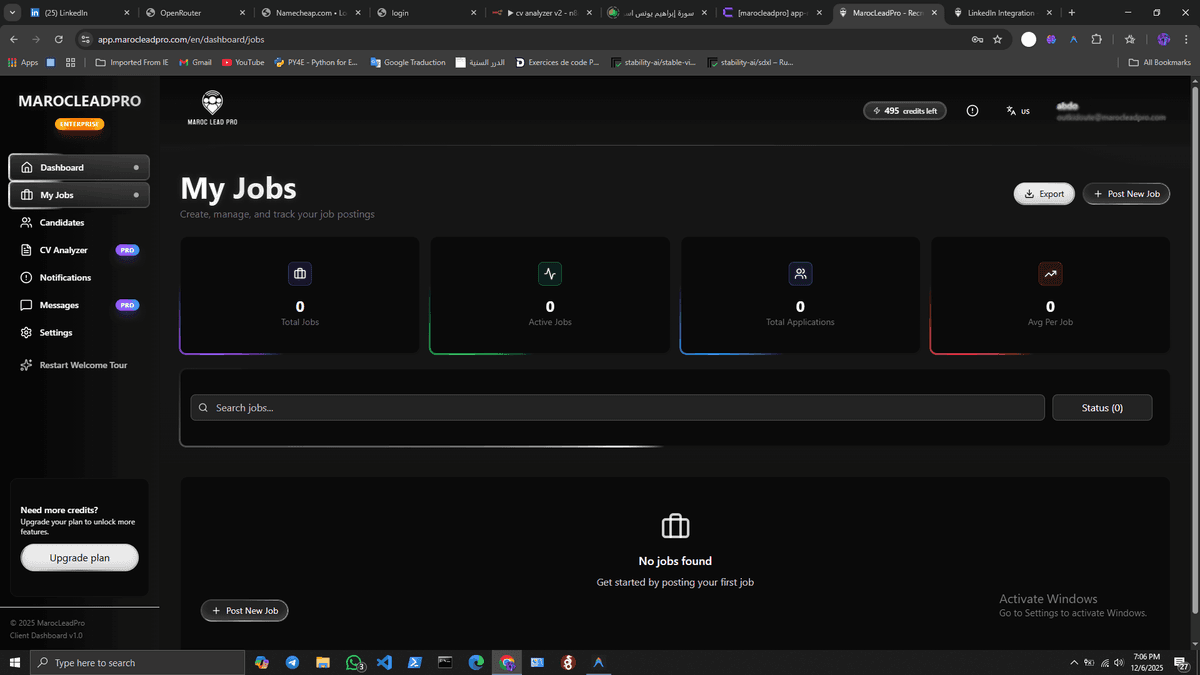
Go to your Dashboard and click "Post New Job".
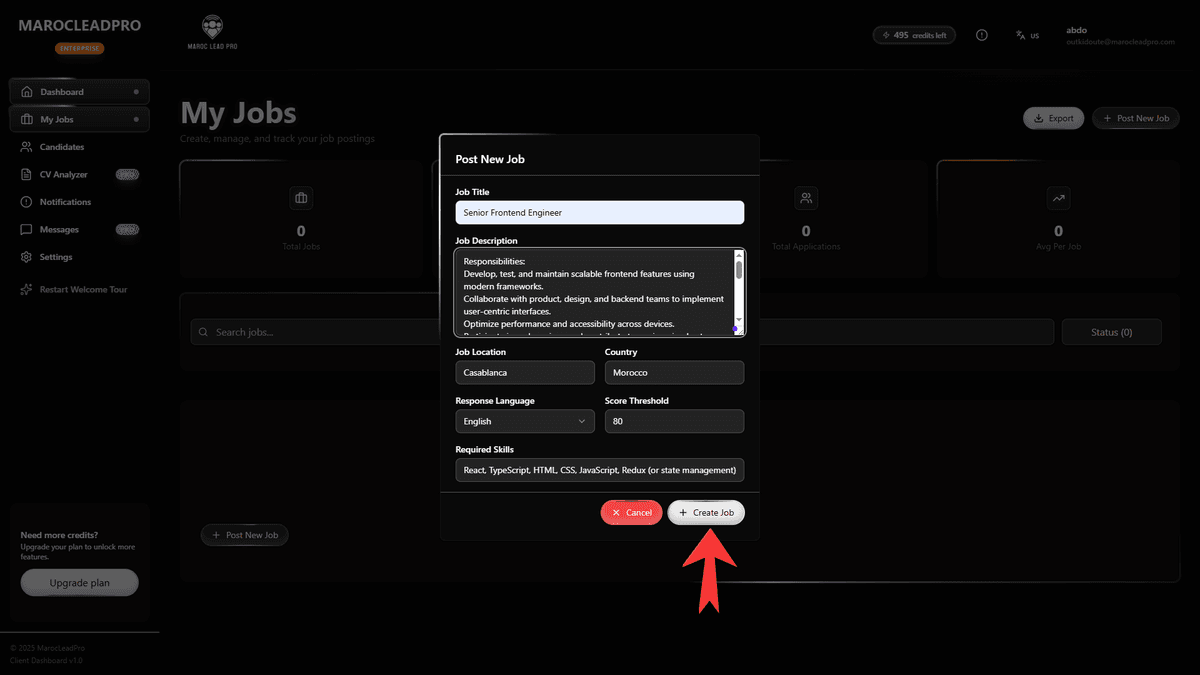
Fill in job details
Define your job requirements and scoring criteria.
2Get your Unique Job Email
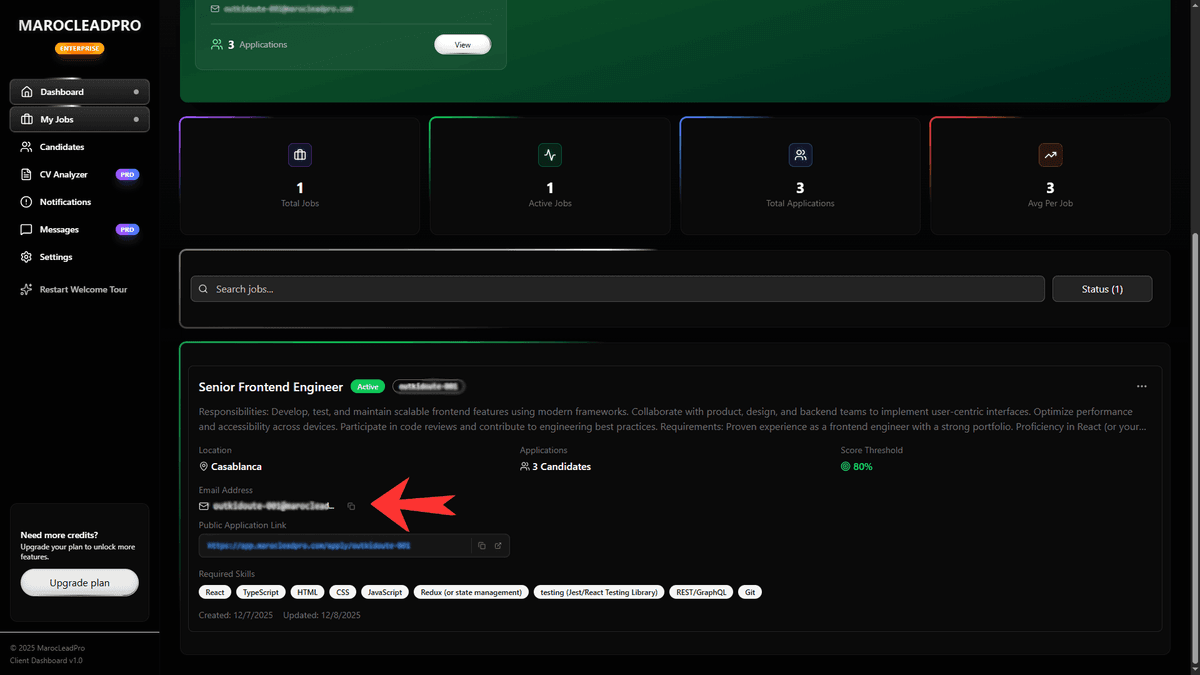
Every job you create has a unique email address for receiving CVs.
Looking for something like:
client@EvalMetric.comCopy the Job Email
Go to your Job Details page and copy the email address shown in the "Integration" section.
3Configure Indeed & Backup
When creating or editing your job on Indeed, look for the Communication preferences section.
Find the section
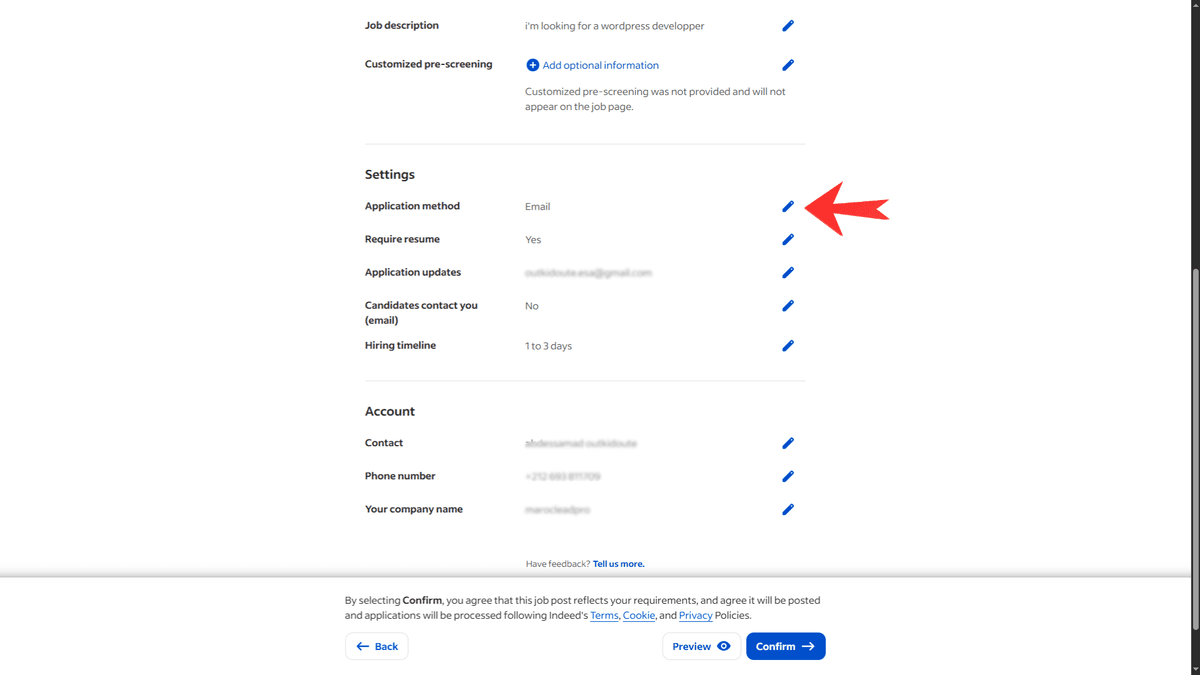
Locate the settings panel in your Indeed job editor.
Change Application Method
Click to edit the "Application method" or "Email address".
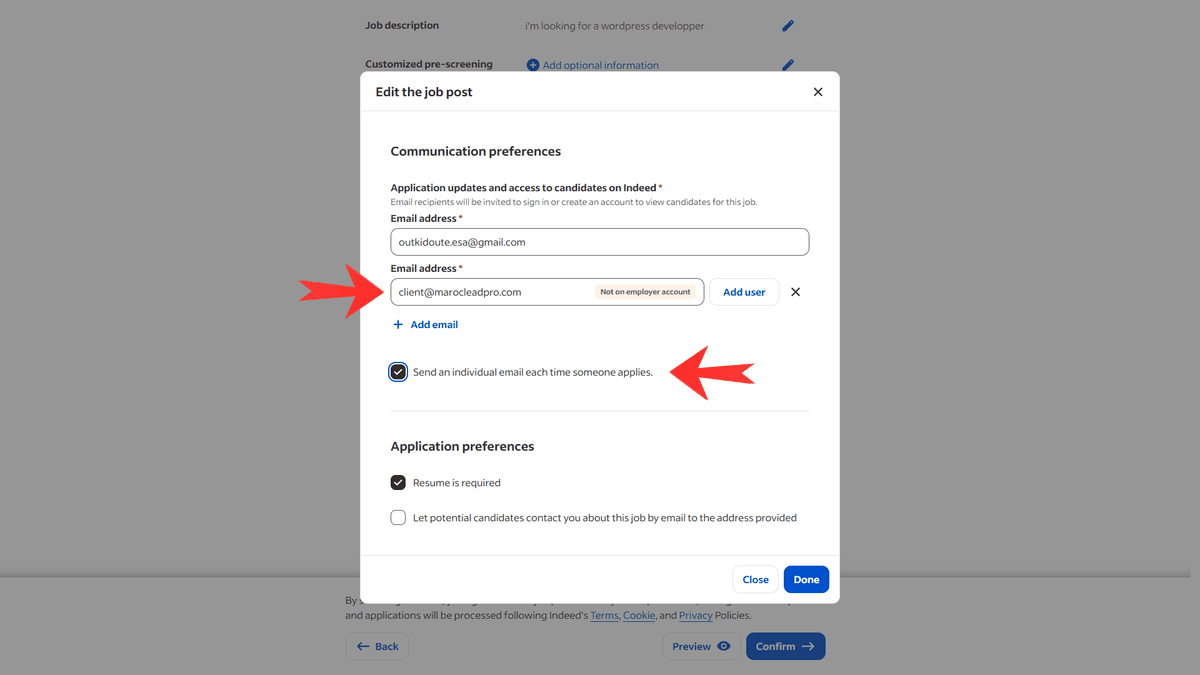
Settings to Apply:
Add both emails to keep a personal backup.
Add Email & Keep Backup
1. Find the Email address field where your personal email is already listed.
2. Add your EvalMetric unique job email next to it.
your-email@gmail.com, client@EvalMetric.comIgnore "Not on employer account" If Indeed shows a warning or asks to "Add User" for the new email, DO NOT click Add User.<br/>The AI cannot accept invitations. Just ignore the tag and click Save — Indeed will still send the emails.
Recommended Job Settings:
- Send an individual email... ON
Required for the AI to receive CVs instantly. - Resume is required: ON
The AI needs a CV file to analyze. - Let candidates contact you: OFF
Keep the channel clean for applications only.
Success: Your personal email receives the notification, and the AI automatically processes the candidate!
Review AI Insights
Check your EvalMetric dashboard—candidates will appear instantly with scores, strengths, and weaknesses ready for your review.