Using EvalMetric with LinkedIn
The best way to collect applications from LinkedIn is using the External Website integration. This method directs candidates to your branded EvalMetric portal, ensuring automatic AI analysis and scoring for every applicant.
1Create a Job on EvalMetric
First, you need to create the job opening within your dashboard to generate a unique application portal.
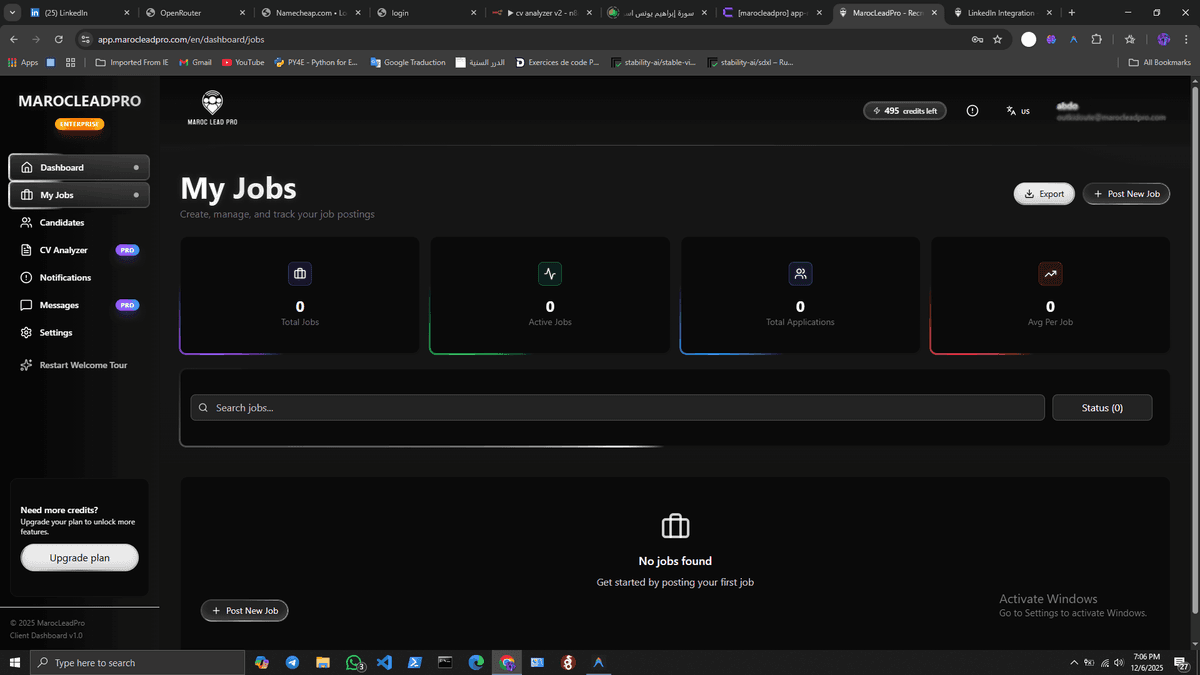
Start a new job post
Go to your Dashboard and click on the "Post New Job" button.
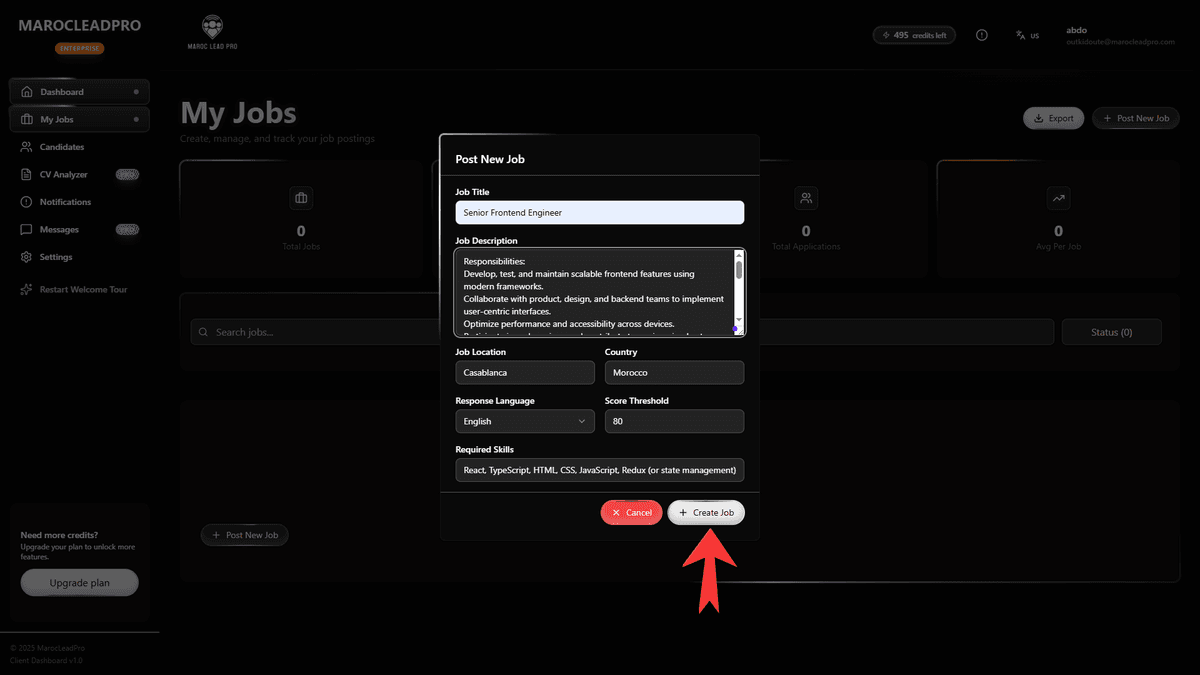
Fill in job details
Enter the job title, description, and required skills. Set your scoring threshold.
2Get your Application Link
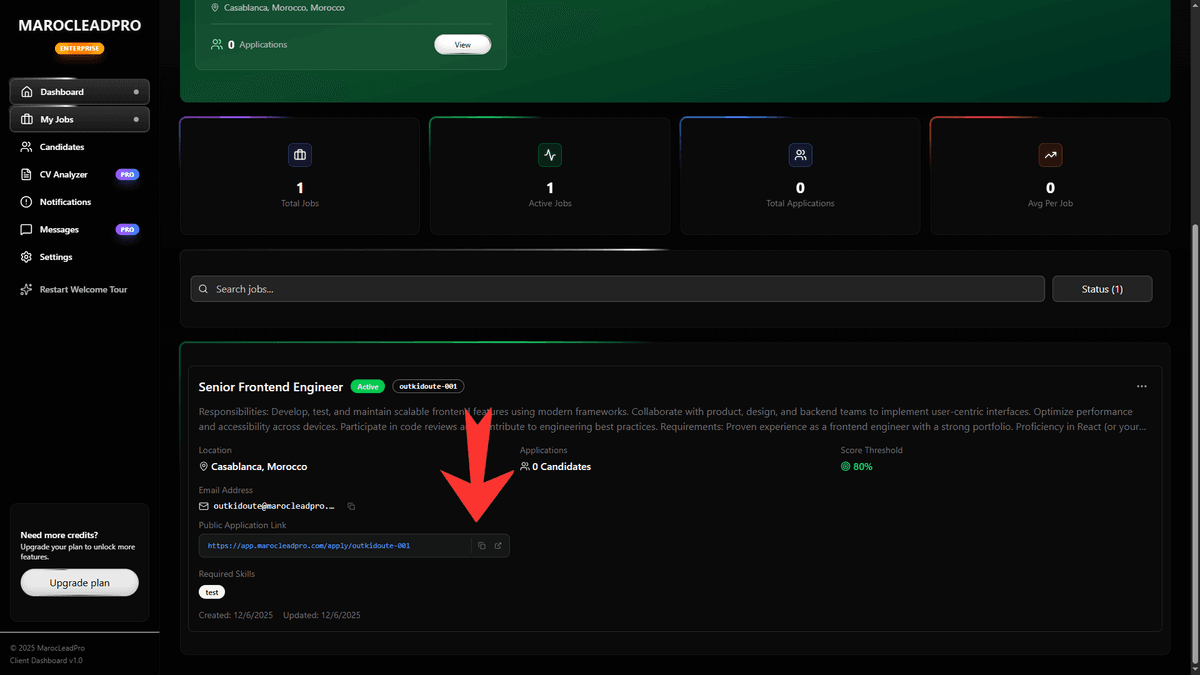
Once created, your job will have a dedicated public link.
Tip: This link is mobile-friendly and branded for your company.
Copy the Public Link
Detailed view of the Jobs card showing the link.
3Configure LinkedIn
Now, direct LinkedIn candidates to your new link.
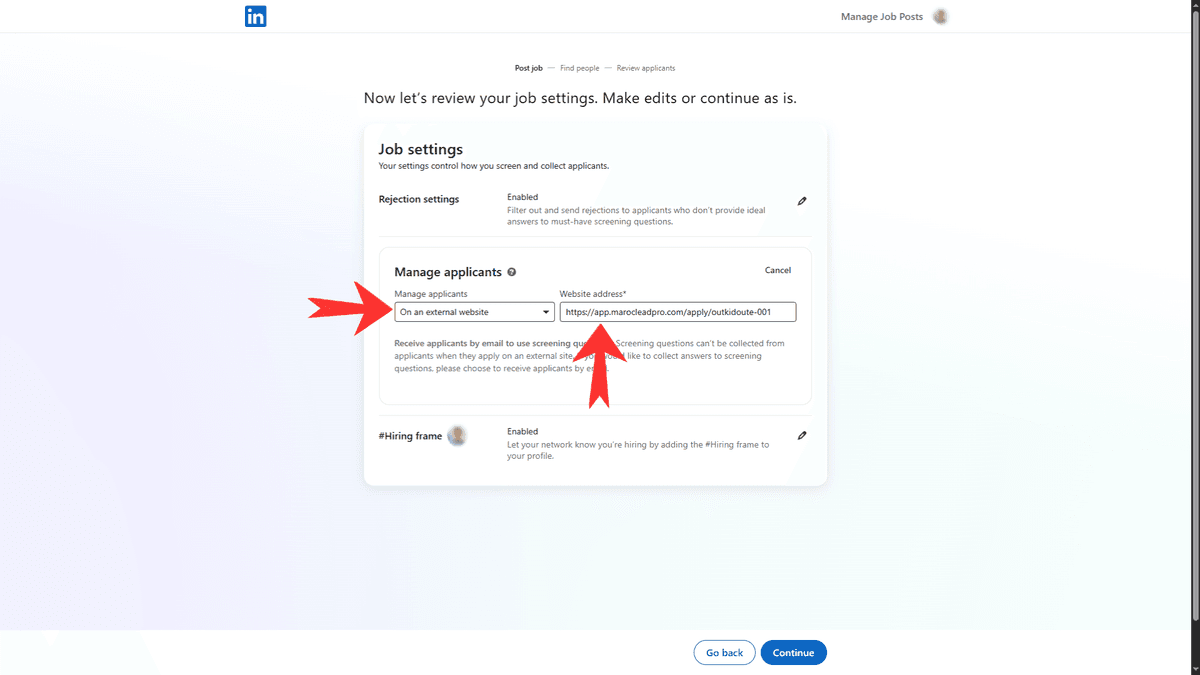
Select "External Website"
In the LinkedIn Job Post setup, choose External Website as the collection method and paste your link.
Review AI Insights
As soon as candidates apply through this link, our AI will instantly process their CVs. You will see:
Match Score
A compatibility score (0-100%) based on skills vs. requirements.
Strengths & Weaknesses
Key highlights extracted from their experience.